FAMILY ACCOUNTS FOR WORDPRESS
One login for the family. A profile for every kid.
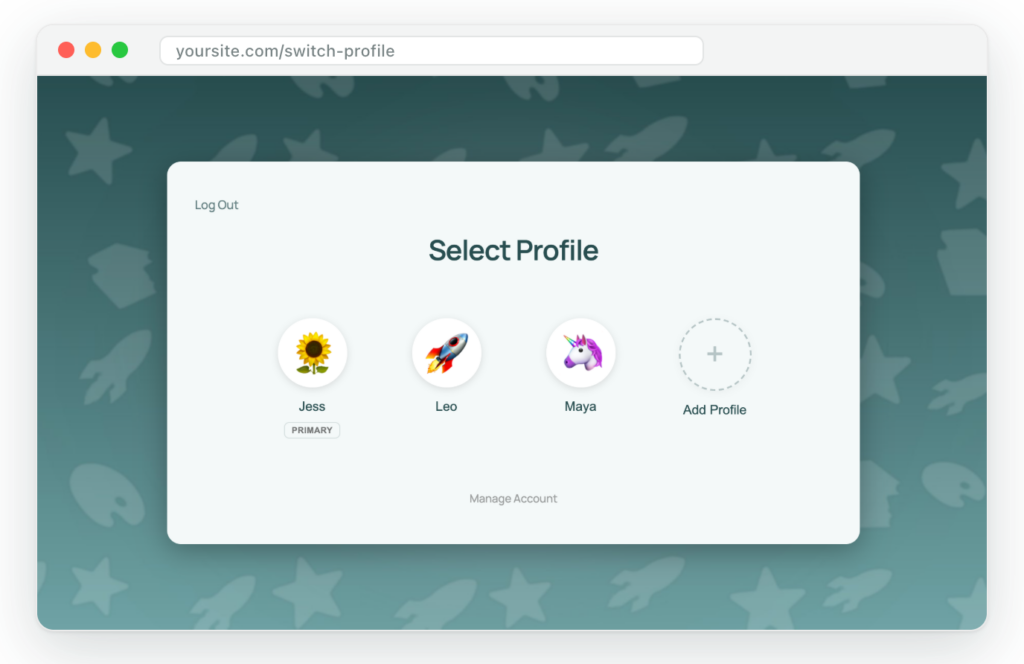
ProfileSwitch adds Netflix-style profiles to your WordPress site. Parents log in once, each child picks their own profile, and every profile keeps its own course progress, orders and activity.
✓ 14-day money-back guarantee
✓ Works with your membership, course and store plugins
✓ Set up in under 5 minutes
WordPress wasn’t built for families
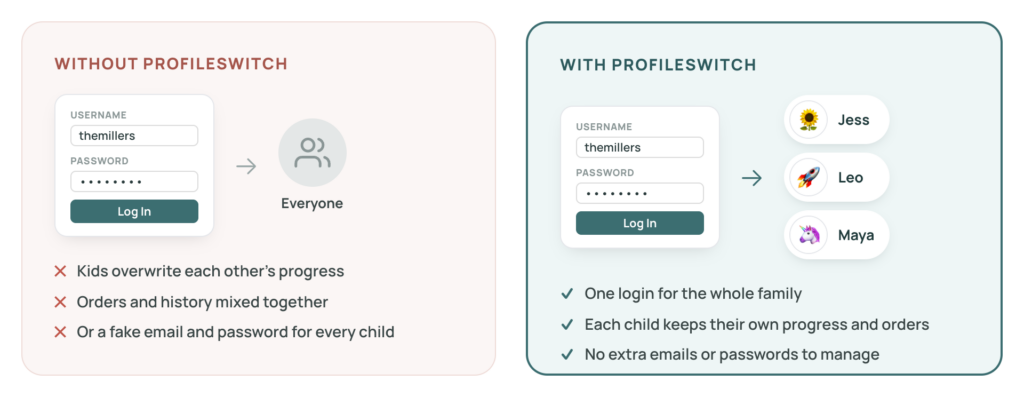
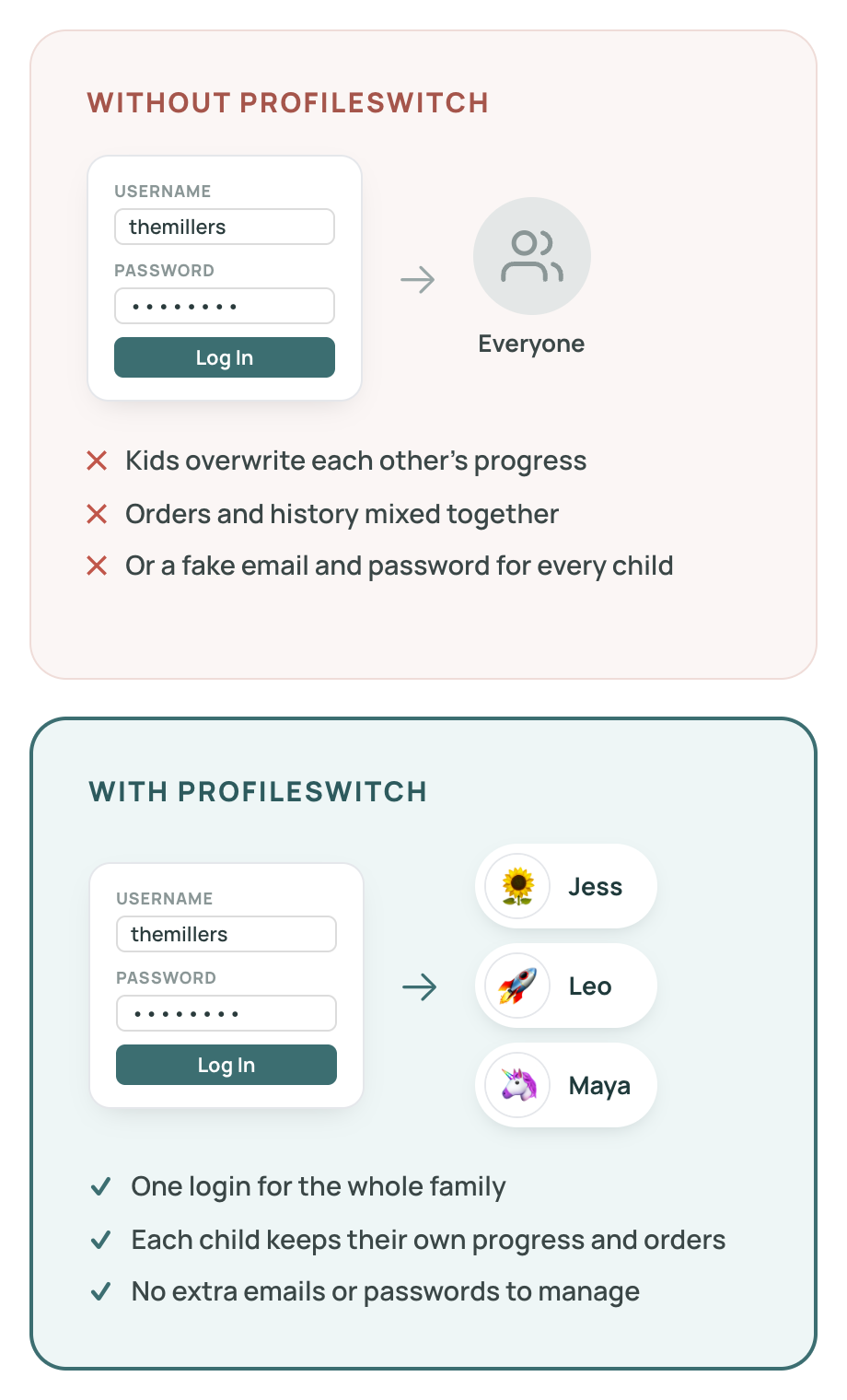
Without profiles, families share one login and overwrite each other’s progress, or you end up inventing a fake email address and password for every child. Both lead to resets, mix-ups and support tickets.
How it works
STEP 1
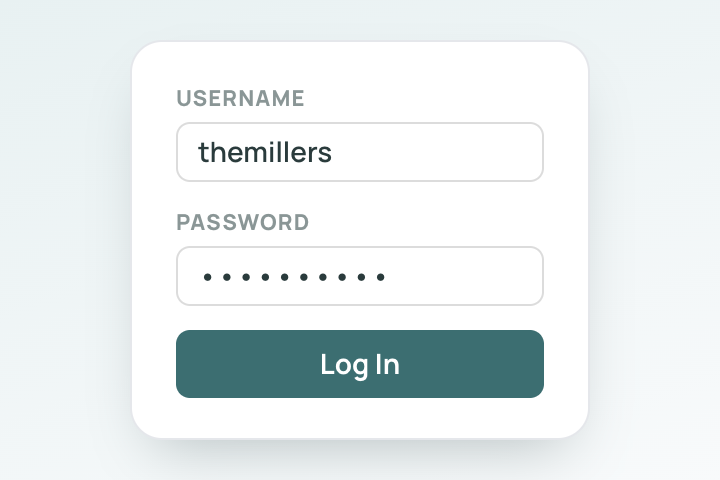
Parents log in once
One username and password for the whole household. No extra accounts to create or remember.
STEP 2
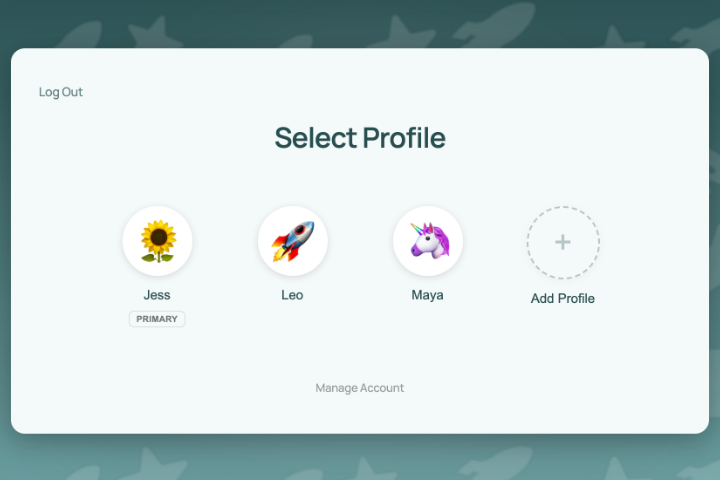
Everyone picks their profile
A full-screen Netflix-style profile picker greets the family right after login.
STEP 3
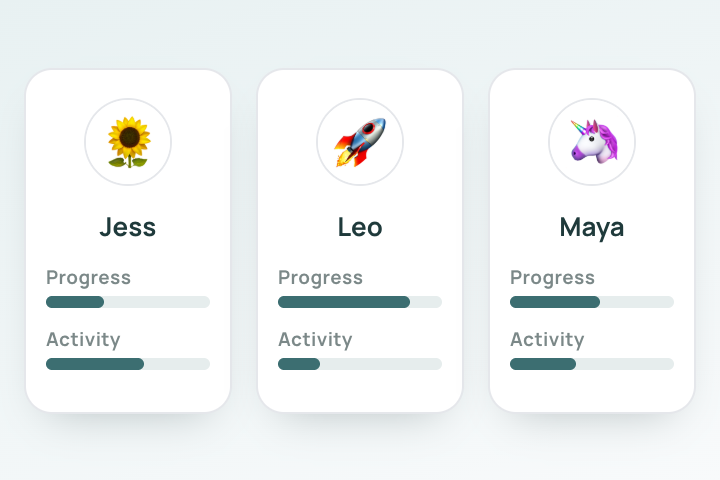
Everything stays separate
Each profile is a real WordPress user, so progress, orders, memberships and activity never mix.
See it in action
Captions on screen. Unmute for music.
Try it yourself
A family on a course site, all under one login. Pick a profile, finish a lesson, then switch to another kid.
Everything a family site needs
PINs and parental controls
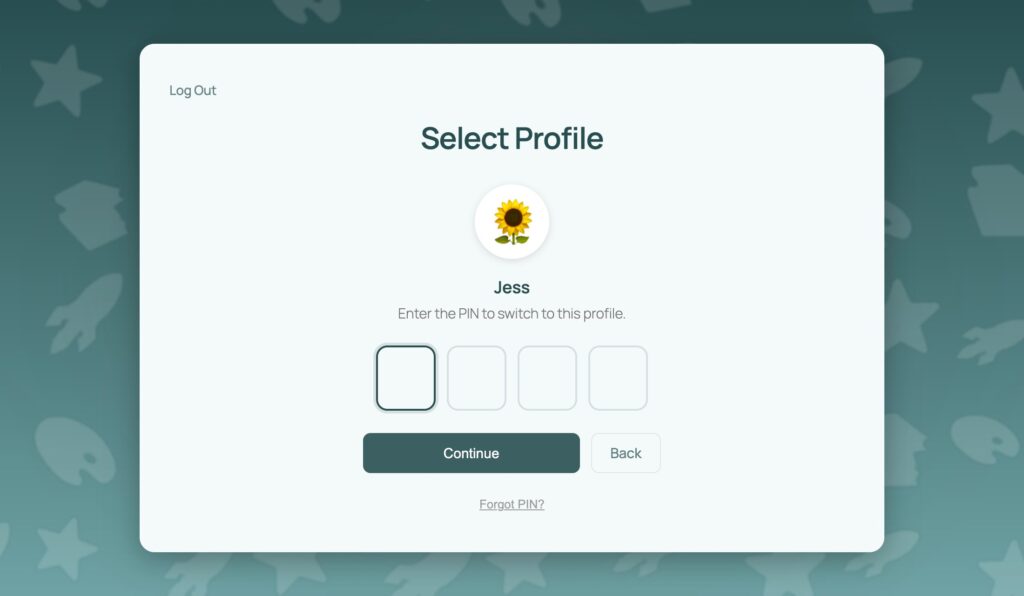
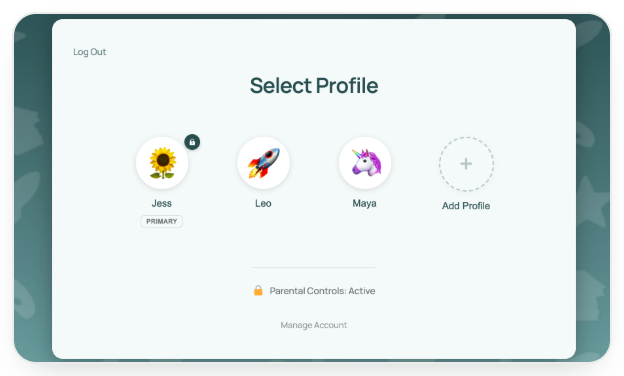
Protect any profile with a PIN, including the parent's. Lock pages like billing and account settings behind parental controls, and have kids pick their profile before they browse. Forgot a PIN? A one-click email reset gets you back in.
Let kids make it their own
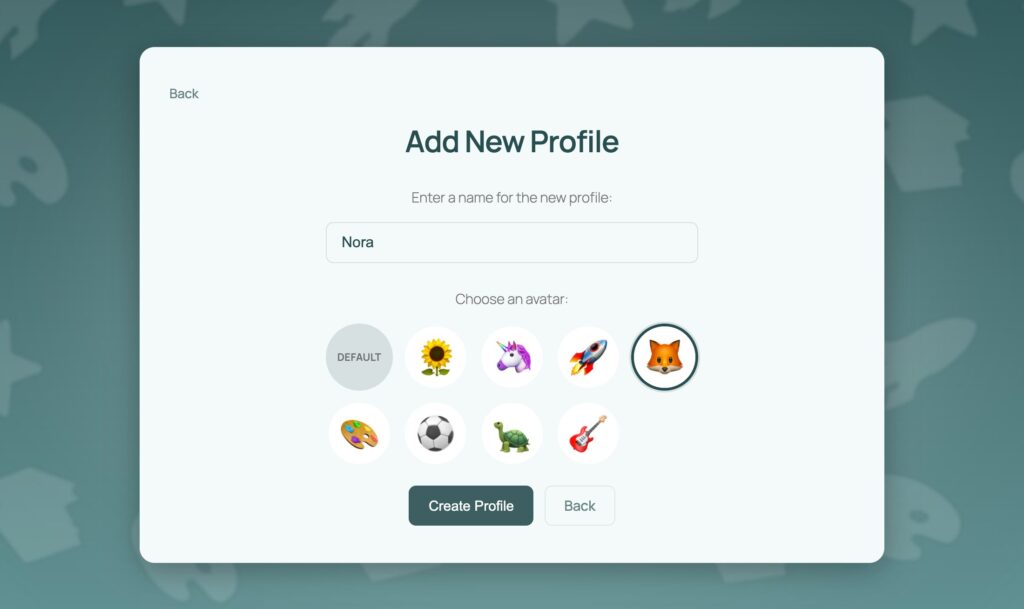
Upload a set of preset avatars and let each child pick one. Families add, rename and remove profiles right from the switcher, with no admin access needed.
Make it look like your site
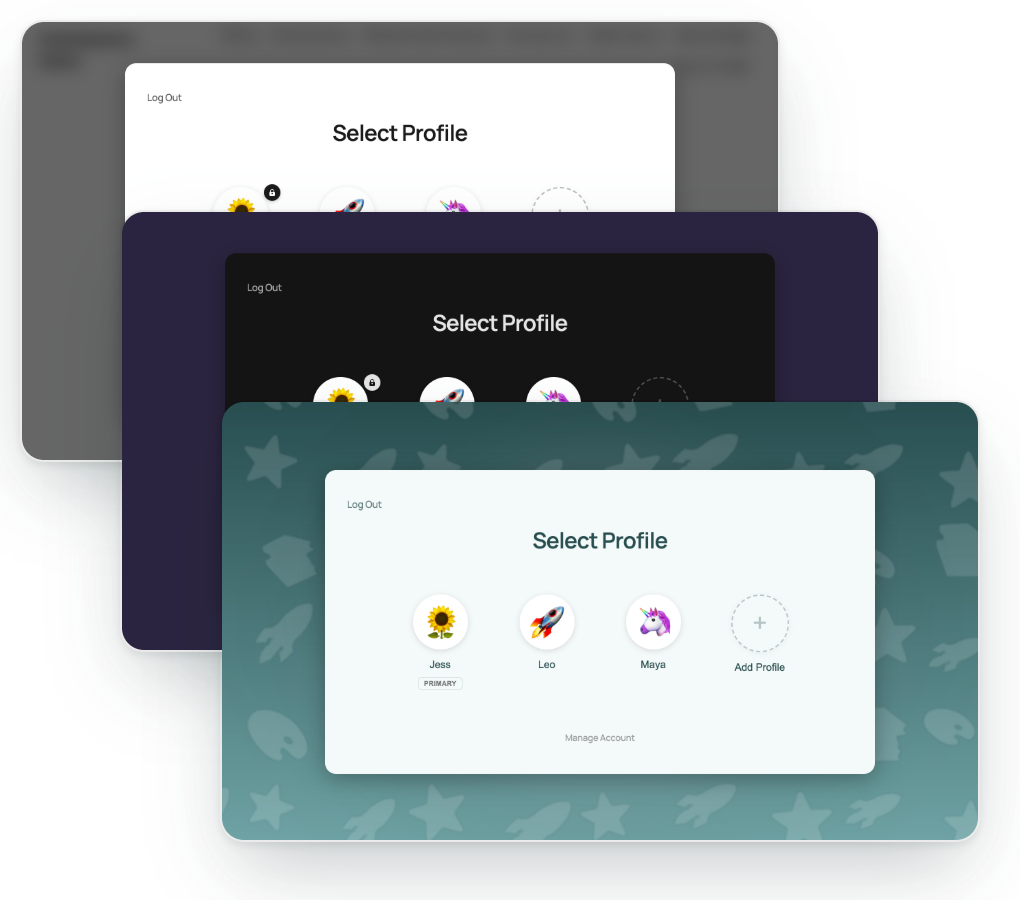
Light, dark or your own colors. Add a background image or a frosted blur of your homepage, change the heading, and preview every change live in the admin.
Works with the users you already have
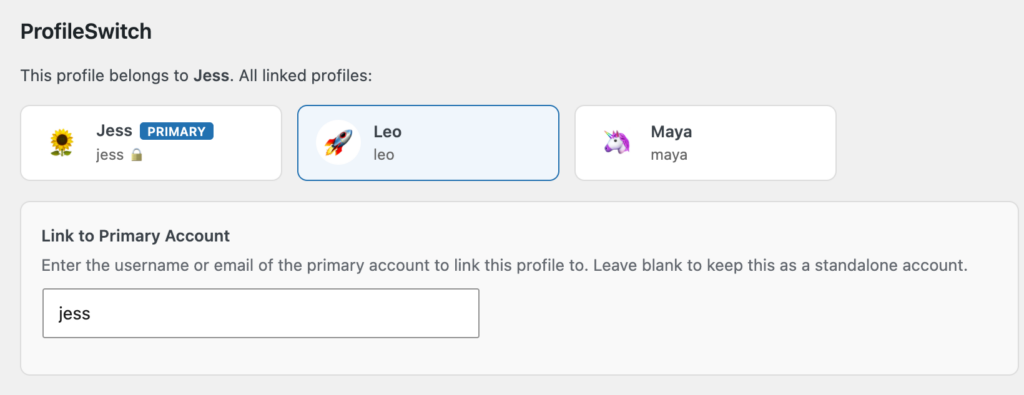
Link existing WordPress accounts as profiles under a parent from the user edit screen. No migration and no rebuilding accounts.
Built for sites where kids learn and play
If parents sign up on your WordPress site and their kids each need their own progress, ProfileSwitch fits.
Kids' online courses
Coding, STEM and video courses where each child moves at their own pace.
Homeschool curriculum
One parent account, with a separate progress record for every child.
Sports and martial arts
Belt ranks, skills and training plans tracked for each athlete.
Camps and youth programs
Parents register several kids without juggling separate logins.
Tutoring and home practice
Assignments and practice logs that always belong to the right child.
Works with the plugins you already use
Every profile is a real WordPress user, so each child's progress, orders and memberships stay separate in any plugin that uses WordPress accounts. No setup needed for most plugins.
Memberships
Share one membership with the whole family, or let each child hold their own level. Paid Memberships Pro also gets a purpose-built integration for shared memberships and per-level profile limits.
Online courses
Every child keeps their own lessons, quiz scores and certificates.
Stores and subscriptions
Each profile places its own orders. With WooCommerce, the parent can also see and manage every order on the account.
Communities
Each family member gets their own member profile, avatar and activity, and BuddyPress and BuddyBoss signup fields carry over to new profiles.
Don't see your plugin? If it works with WordPress users, it works with ProfileSwitch.
Simple pricing. Every feature included.
Every plan includes every feature, every integration and priority email support. Pick the one that matches how many sites you run.
Personal
$99 /year
1 site
For one membership, course or club site.
- ✓Every feature, every integration
- ✓Priority email support
- ✓Updates included
Professional
$199 /year
3 sites
For owners who run more than one site.
- ✓Every feature, every integration
- ✓Priority email support
- ✓Updates included
Agency
$399 /year
10 sites
For agencies and freelancers building sites for clients.
- ✓Every feature, every integration
- ✓Priority email support
- ✓Updates included
14-day money-back guarantee. Install it on your site and try it with real families. If it isn't the right fit, we'll refund your purchase within 14 days. No questions asked.
Need just the basics? ProfileSwitch Lite is free on WordPress.org. Compare Lite and paid plans.
Common questions
Will it work with my existing users?
Yes. Existing WordPress users can be linked together as profiles under a parent account from the user edit screen. No migration, no rebuilding accounts.
Do kids need their own email address or password?
No. Kids use the family login and pick their profile. ProfileSwitch creates an address for each profile from the parent's email using plus addressing, so messages still land in the parent's inbox. If someone does need to sign in on their own, a paid plan lets you give that profile its own email and password.
Can kids get into the parent's profile?
Not if you don't want them to. Put a PIN on the parent's profile, and turn on parental controls to protect pages like billing and account settings behind it.
Can I limit how many profiles each account has?
Yes. Lite allows up to 10 profiles per account. A paid plan lets you set your own limit site-wide, or per membership level with Paid Memberships Pro.
Will it work with my membership, course or store plugin?
Yes, if it uses standard WordPress users. Each profile is a real user, so plugins like LearnDash, LifterLMS, Tutor LMS and MemberPress keep each child's progress separate. Paid Memberships Pro, WooCommerce and BuddyPress / BuddyBoss also get purpose-built integrations in every paid plan.
Can I try it before I buy?
Yes. ProfileSwitch Lite is free on WordPress.org, and every paid plan has a 14-day money-back guarantee.
ProfileSwitch
Try ProfileSwitch on your site
Setup takes about five minutes. Every plan includes every feature and a 14-day money-back guarantee.