PRICING
One login for the family.
A profile for every kid.
ProfileSwitch gives every family member their own profile on your WordPress site, each with its own progress, orders and activity. Every plan includes every feature. Pick the one that matches how many sites you run.
✓ 14-day money-back guarantee ✓ Every feature in every plan ✓ Set up in under 5 minutes
Personal
$99 /year
1 site
For one membership, course or club site.
- ✓Every feature, every integration
- ✓Priority email support
- ✓Updates included
Professional
$199 /year
3 sites
For owners who run more than one site.
- ✓Every feature, every integration
- ✓Priority email support
- ✓Updates included
Agency
$399 /year
10 sites
For agencies and freelancers building sites for clients.
- ✓Every feature, every integration
- ✓Priority email support
- ✓Updates included
All three plans include everything on this page. The only difference is the number of sites.
14-day money-back guarantee. Install it on your site and try it with real families. If it isn’t the right fit, we’ll refund your purchase within 14 days. No questions asked.
Only need basic profile switching? ProfileSwitch Lite is free on WordPress.org. It switches profiles and matches your colors, but it doesn’t include PINs, parental controls, preset avatars, background options or the purpose-built integrations. Get Lite on WordPress.org
What a paid plan adds
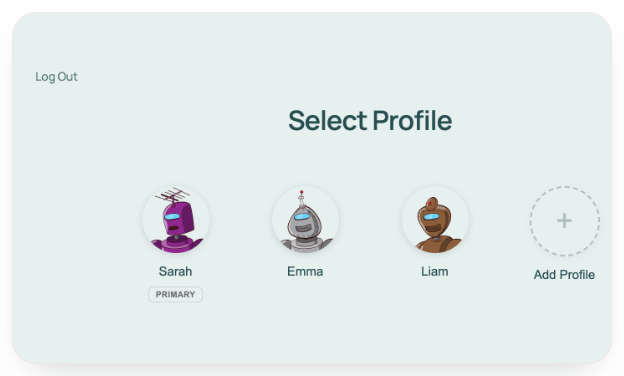
Lite gives you a profile switcher. A paid plan turns it into something you can hand to a family with confidence.
Keep kids out of the grown-up parts
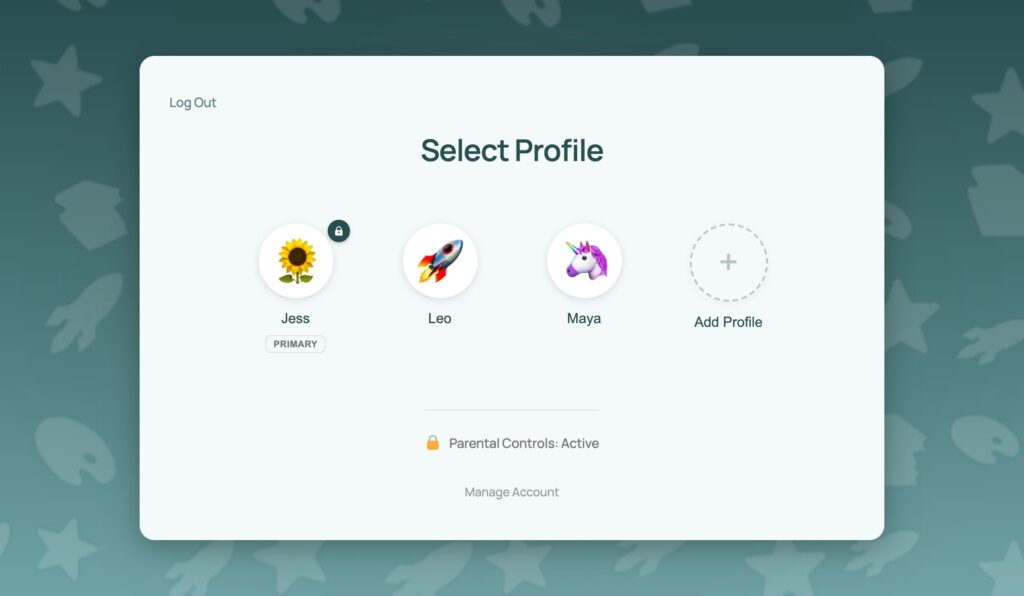
Put a PIN on the parent’s profile so kids can’t switch into it. Turn on parental controls to lock pages like billing and account settings behind that same PIN. If a parent forgets their PIN, a one-click email gets them back in.
Profiles kids actually want to use
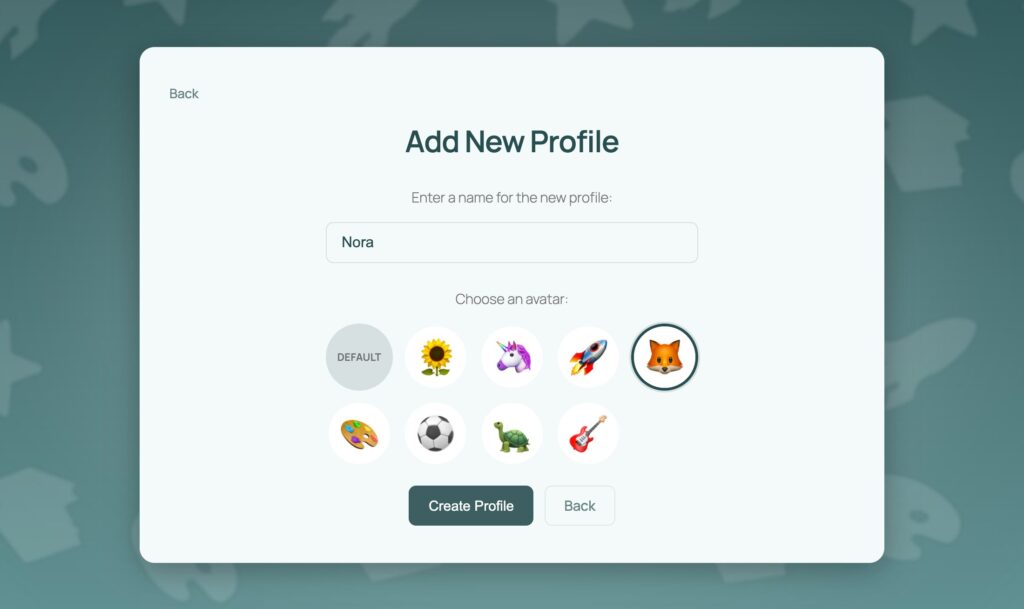
Upload a set of avatars and let each child pick one when they create or edit their profile. Put a background image, a solid color or a frosted blur of your own site behind the switcher so it feels like part of your brand.
More control for parents and admins
Profile limits you choose
Set how many profiles each account can have, site-wide or per membership level.
Profile managers
Let a co-parent manage profiles and pass parental controls, just like the primary account.
Separate logins when needed
Give a profile its own email and password when someone needs to sign in on their own.
Account management for parents
Parents manage their profiles, PINs and parental controls from one email-verified screen.
Priority email support
Questions go straight to the developer who builds ProfileSwitch.
Your branding, everywhere
Custom heading text, colors and backgrounds so the switcher matches the rest of your site.
Works with the plugins you already use
Every profile is a real WordPress user, so each child’s progress, orders and memberships stay separate in any plugin that uses WordPress accounts. No setup needed for most plugins.
Memberships
Share one membership with the whole family, or let each child hold their own level. Paid Memberships Pro also gets a purpose-built integration for shared memberships and per-level profile limits.
Online courses
Every child keeps their own lessons, quiz scores and certificates.
Stores and subscriptions
Each profile places its own orders. With WooCommerce, the parent can also see and manage every order on the account.
Communities
Each family member gets their own member profile, avatar and activity, and BuddyPress and BuddyBoss signup fields carry over to new profiles.
Don’t see your plugin? If it works with WordPress users, it works with ProfileSwitch.
Lite or a paid plan?
Both give every family member their own profile. Here is everything else.
 Lite (free) | 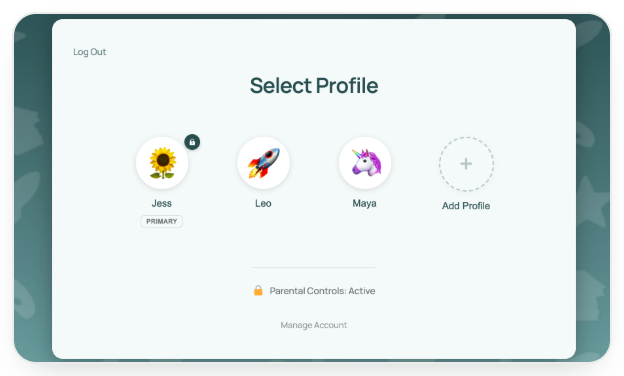 Paid plans | |
|---|---|---|
| One-click profile switcher page | ✓ | ✓ |
| Profiles per account | Up to 10 | You choose, site-wide or per membership level |
| Light, dark and custom colors | ✓ | ✓ |
| Custom heading text | ✓ | ✓ |
| Profile PINs | – | ✓ |
| Parental controls for protected pages | – | ✓ |
| Preset avatars kids can choose | – | ✓ |
| Background image, color or website blur | – | ✓ |
| Paid Memberships Pro integration | – | ✓ |
| WooCommerce integration | – | ✓ |
| BuddyPress / BuddyBoss integration | – | ✓ |
| Profile managers | – | ✓ |
| Separate email and password per profile | – | ✓ |
| Email-verified account management | – | ✓ |
| Support | WordPress.org forums | Priority email |
Try it for 14 days, risk-free
If ProfileSwitch isn’t the right fit for your site, we’ll refund your purchase within 14 days. No questions asked.
Upgrading from Lite? Your profiles, settings and colors carry over automatically, and Lite steps aside once the full version is active.
Questions before you buy
Which plan should I choose?
Count the sites you’ll install it on. Every plan includes every feature, so Personal covers one site, Professional covers three and Agency covers ten.
Do kids need their own email address or password?
No. Kids use the family login and pick their profile. ProfileSwitch creates an address for each profile from the parent’s email using plus addressing, so messages still land in the parent’s inbox. If someone does need to sign in on their own, a paid plan lets you give that profile its own email and password.
Will it work with my membership, course or store plugin?
Yes, if it uses standard WordPress users. Each profile is a real user, so plugins like LearnDash, LifterLMS, Tutor LMS and MemberPress keep each child’s progress separate. Paid Memberships Pro, WooCommerce and BuddyPress / BuddyBoss also get purpose-built integrations in every paid plan.
I already use ProfileSwitch Lite. What happens when I upgrade?
Install the full version and you’re done. Your profiles, settings and design choices carry over automatically, with nothing to migrate.
Can I try it before I buy?
Yes. ProfileSwitch Lite is free on WordPress.org, and every paid plan has a 14-day money-back guarantee.
ProfileSwitch
Questions about your site?
Tell us what you’re building and we’ll let you know whether ProfileSwitch is a good fit.