
One account. Multiple profiles.
Share one WordPress login across a family, team, or organization — and keep every profile’s data, progress, and orders separate.
14-day money-back guarantee · Set up in under 5 minutes · Try the free Lite version on WordPress.org
WordPress wasn’t built for shared accounts.
So families, teams, and organizations either share one login and overwrite each other’s progress — or invent fake emails and passwords for every kid, partner, or employee. Course progress resets, orders get mixed up, support tickets pile up. ProfileSwitch fixes it in five minutes, with one login and a profile for everyone.
How it works
Three steps. Zero complexity.
1
One shared login
One set of credentials for the whole household, team, or company.
2
Pick a profile
A full-screen profile picker with custom avatars greets users after login. Think Netflix, but for your site.
3
Everything stays separate
Each profile has its own course progress, orders, memberships, and activity. Completely isolated.
Built for every shared account
Wherever multiple people need their own space under one account, ProfileSwitch fits right in.
Online Courses
Each profile tracks its own course progress, quizzes, and completions. Works with LearnDash, LifterLMS, and more.
Memberships
Each profile can buy its own memberships, or with Paid Memberships Pro, share one membership across the whole account.
Youth Programs
Sports clubs, day camps, and youth programs where one parent manages multiple participants.
E-Commerce
Each profile places its own orders. With WooCommerce, the primary account holder sees and manages every order across the account.
Business Accounts
Departments and divisions get their own profiles under one company login. Keep volume discounts without account sprawl.
Families
Kids don’t need their own email or password. One family login, separate profiles for everyone. Add PINs and parental controls for extra safety.
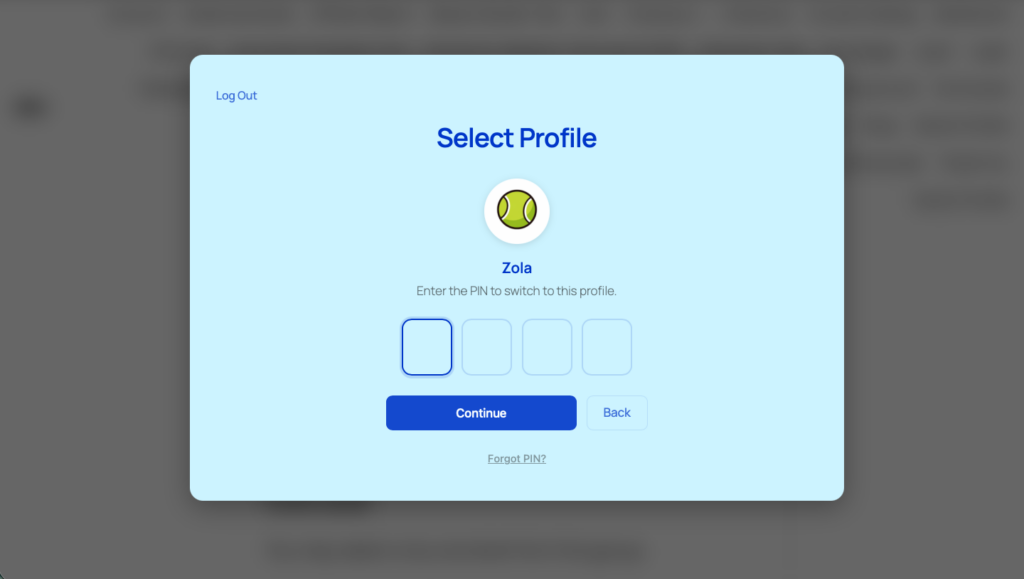
Profile PINs & parental controls
Protect any profile with a PIN. Lock specific pages behind parental controls. Force profile selection after login so nobody browses without choosing who they are first.
The primary profile’s PIN works as a master override for all sub-profiles. Forgot your PIN? A one-click email reset gets you back in.
Make it yours in seconds
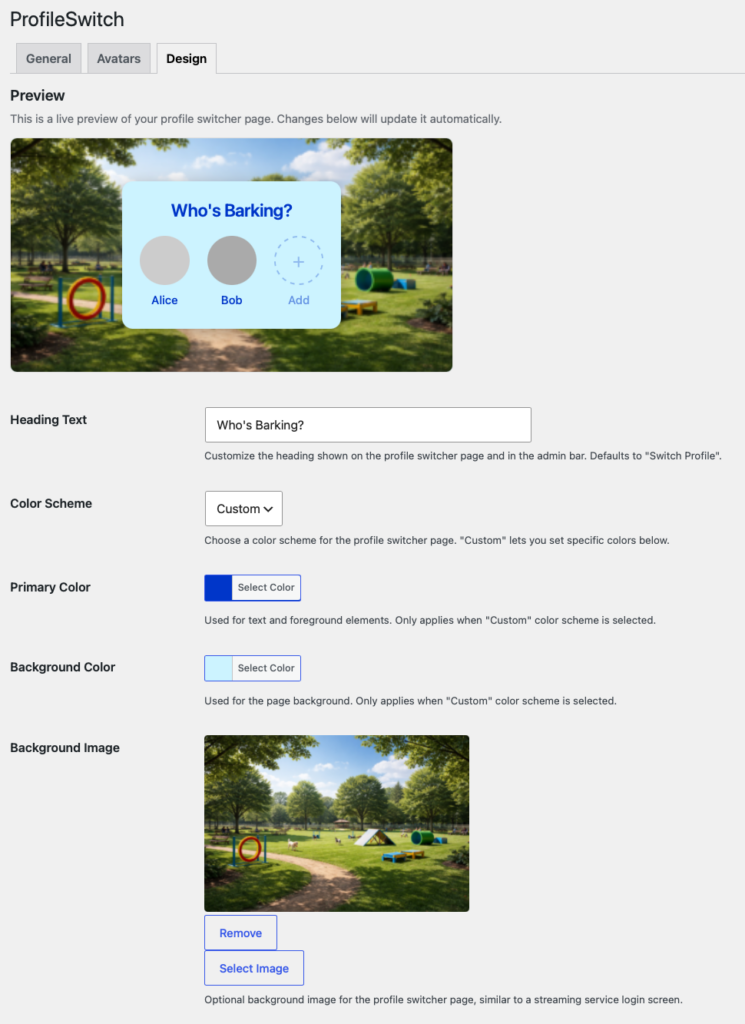
Light mode, dark mode, or fully custom colors. Add a background image, a frosted website blur, or change the heading text — and preview every change live from the admin.
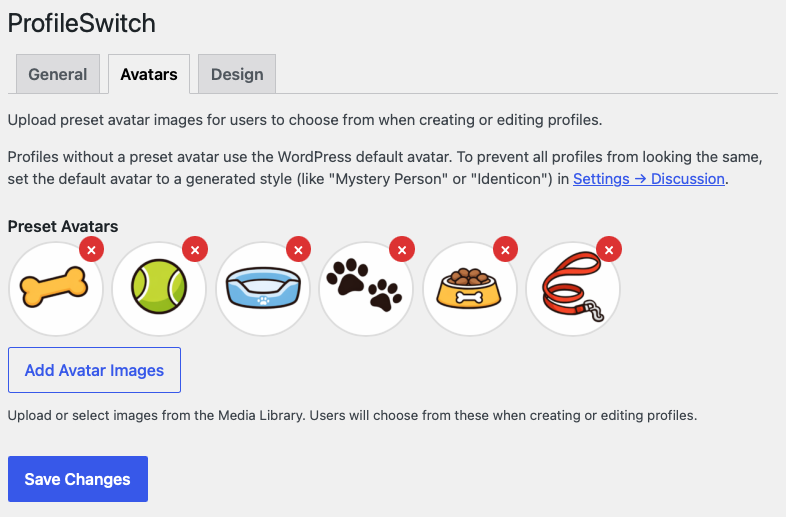
Upload preset avatars for users to choose from. Users create and edit profiles right from the switcher. No admin access needed.
Plays well with the plugins you already use
Each profile is a real WordPress user, so most plugins just work. These ones get deeper, purpose-built integrations.
Paid Memberships Pro
Share one membership across the whole account, or sync the same level to every profile. Setup →
WooCommerce
Each profile places its own orders. The primary account holder sees and manages every order. Setup →
BuddyPress / BuddyBoss
Custom profile fields auto-detected from signup. Avatars work automatically. Setup →
LearnDash
Each profile gets its own course progress, quizzes, and certificates. Read more →
MemberPress
Add family profiles to MemberPress with each profile holding its own subscription. Read more →
Tutor LMS
Family profiles for Tutor LMS — every learner keeps their own course progress. Read more →
Using something that is not listed? Most plugins already work as they are. If yours would benefit from a deeper integration, tell us which one and we will take a look.
Everything you need, nothing you don’t
Preset Avatars
Upload avatar images for users to choose from. Each profile gets its own visual identity.
Customizable Design
Light, dark, or custom color schemes. Background images or website blur. Custom heading text. Live admin preview.
Centralized Emails
All profile emails route to the primary account via plus addressing. One inbox for everything.
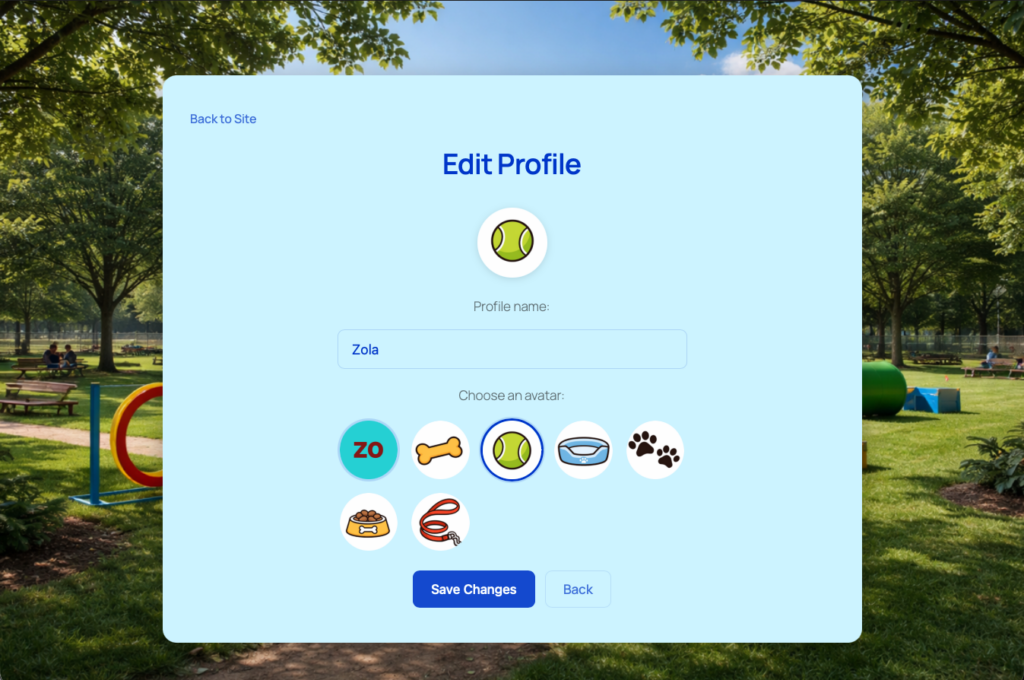
Edit Profiles from the Frontend
Users change their name and avatar directly from the profile switcher. No admin access needed.
Profile Managers
Designate trusted profiles as managers — same elevated access as the primary, ideal for co-parents and admins.
Custom Credentials
Optional per-profile email and password so any profile can log in independently when needed.
Common questions
Will it work with my existing users?
Yes. Existing WordPress users can be linked together as profiles under a primary account from the user edit screen — no migration, no rebuilding accounts.
Do sub-profiles need their own email and password?
No. By default, sub-profiles share the primary account’s login. If you want certain profiles (like a co-parent or business partner) to log in independently, the optional Custom Credentials setting lets them set their own.
Can I limit how many profiles per account?
Yes. Set a max in the General settings tab (default 10), or use the profileswitch_max_profiles filter for per-membership-level limits — useful for tiered family plans.
Does it work with my membership / LMS / commerce plugin?
Almost certainly. Each profile is a real WordPress user, so anything that works with WordPress users works with profiles. Paid Memberships Pro, WooCommerce, BuddyPress, and BuddyBoss have purpose-built integrations; LearnDash, LifterLMS, MemberPress, and Tutor LMS work out of the box.
Can I try it before I buy?
Yes. ProfileSwitch Lite is free on WordPress.org and includes the core profile-switching feature. The full plugin adds PINs and parental controls, the WooCommerce, PMPro, and BuddyPress integrations, custom credentials, profile managers, design customization, and priority support. Every paid purchase is also covered by a 14-day money-back guarantee.
Ready to simplify shared accounts?
Set up in under 5 minutes. No code required. 14-day money-back guarantee.