
If you run a WooCommerce store, you’ve probably had a customer who doesn’t fit neatly into the “one person, one account” model.
Maybe it’s a large company where different divisions and locations need to place their own orders, but someone at headquarters needs to see everything. Without shared accounts, that means logging into each division’s account separately to track orders — or everyone shares one login and orders pile up in a single list with no way to tell who placed what.
Or maybe it’s a family. A parent buys curriculum, gear, or subscriptions for multiple kids. They don’t want to manage separate logins for each child, but they need to keep everyone’s orders organized.
The core problem is the same: WooCommerce doesn’t have a concept of shared accounts. Every customer is one user, one email, one login. There’s no way to have a master account with sub-accounts underneath it — at least not out of the box.
ProfileSwitch adds shared accounts to WooCommerce. One login, multiple profiles, and a single place for the account holder to see every order across all profiles. Here’s how it works.
The problem with one account per person
WooCommerce ties everything to a single user account: order history, saved addresses, payment methods, and downloads. When multiple people need to share an account — or when they shouldn’t have to create separate ones — you’re stuck with two bad options:
- One account for everyone. Orders pile up in one list with no way to tell who placed them. A company’s purchasing manager scrolls through hundreds of orders from every division trying to find one shipment. A parent hunts through a mixed order history to find one child’s purchase.
- Separate accounts for each person. Now a company has dozens of accounts to manage, and their negotiated discount or pricing tier doesn’t carry over. A family juggles multiple logins and passwords, and kids might not even have email addresses.
What these customers actually need is a master account with sub-accounts underneath it. One login, one pricing structure, one invoice — but separate order tracking for each person or division using it.
How ProfileSwitch works with WooCommerce
ProfileSwitch lets one WordPress account have multiple profiles. Each profile is a real WordPress user under the hood, which means WooCommerce treats each one as a separate customer with their own order history, saved addresses, and cart.
But they all live under one master account. One login, one set of credentials, and any account-level attributes — like a negotiated discount or pricing tier — stay attached to the account regardless of which profile is active.
After logging in, the user sees a profile picker. They choose who’s shopping — themselves, a division, a team member, a child — and WooCommerce shows that profile’s experience. Switching profiles takes one click from the admin bar or the profile switcher page. No logging out, no password juggling.
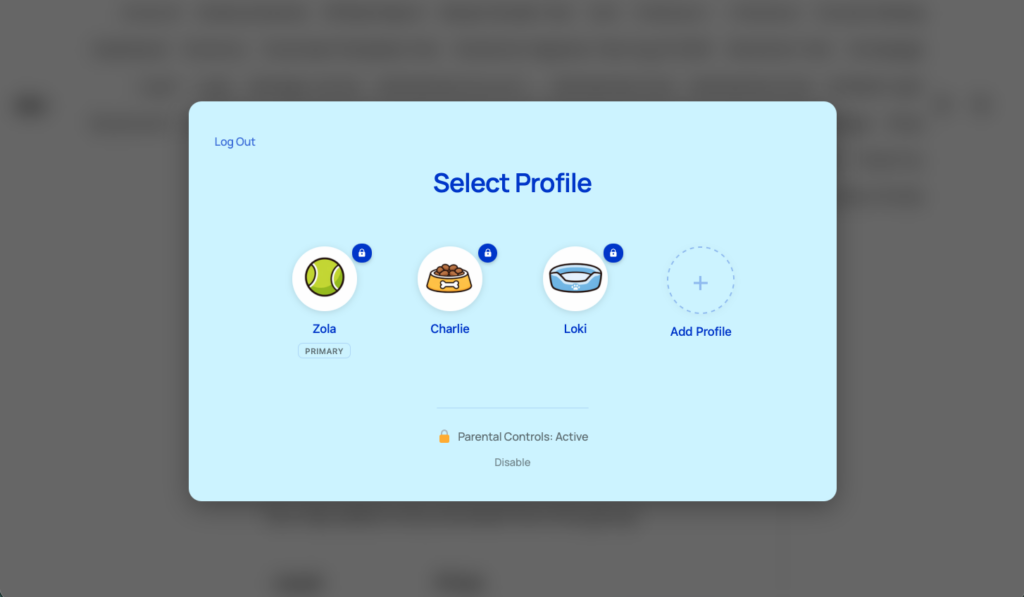
Sub-profiles don’t need their own email addresses. ProfileSwitch generates unique emails automatically using plus addressing (e.g. [email protected] becomes [email protected]), so WooCommerce can identify each profile as a distinct customer without anyone needing to set up extra inboxes.
See every order in one place
One of the biggest headaches with shared purchasing is fragmented order history. If a company’s purchasing manager needs to find an order placed by another division, or a parent needs to track down a child’s purchase, they’d normally have to log into a different account entirely.
ProfileSwitch’s WooCommerce order visibility solves this. When enabled, the primary account holder can see and manage orders from every profile in their account, all from the standard WooCommerce My Account orders page. Each order shows a “Placed by” label so it’s immediately clear which profile placed it.
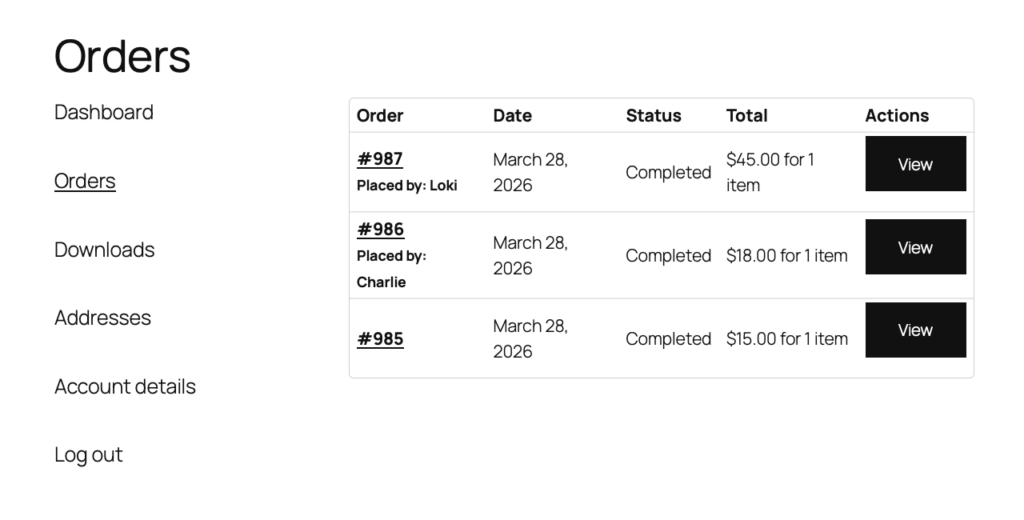
The primary account holder can click into any order to see the full details — billing address, shipping address, line items — regardless of which profile placed it. Sub-profiles still only see their own orders, so divisions don’t see each other’s purchases and kids don’t see what their parents ordered.
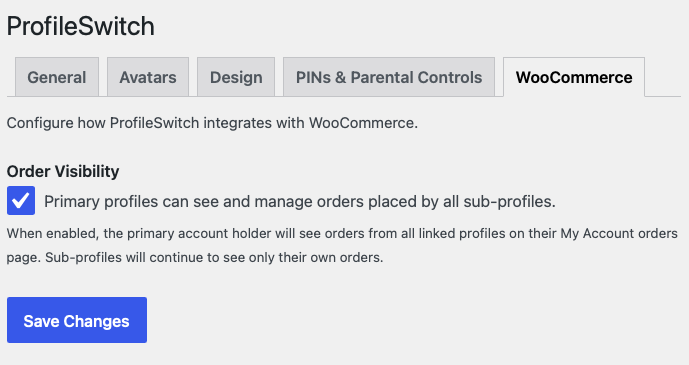
This is controlled by a simple toggle on the ProfileSwitch WooCommerce settings tab. Turn it on and the primary account becomes the central order dashboard.
Keep profiles secure with PINs
Shared accounts raise a fair question: what stops one person from switching to another profile and placing orders on their behalf?
ProfileSwitch includes Profile PINs. Any profile can set a numeric or alphanumeric PIN that must be entered before switching to that profile. For businesses, this means each division’s profile stays protected. For families, kids can’t switch to a parent’s profile and start buying things.
The primary account holder’s PIN also works as a master override, so they can always access any sub-profile without needing to know every PIN.
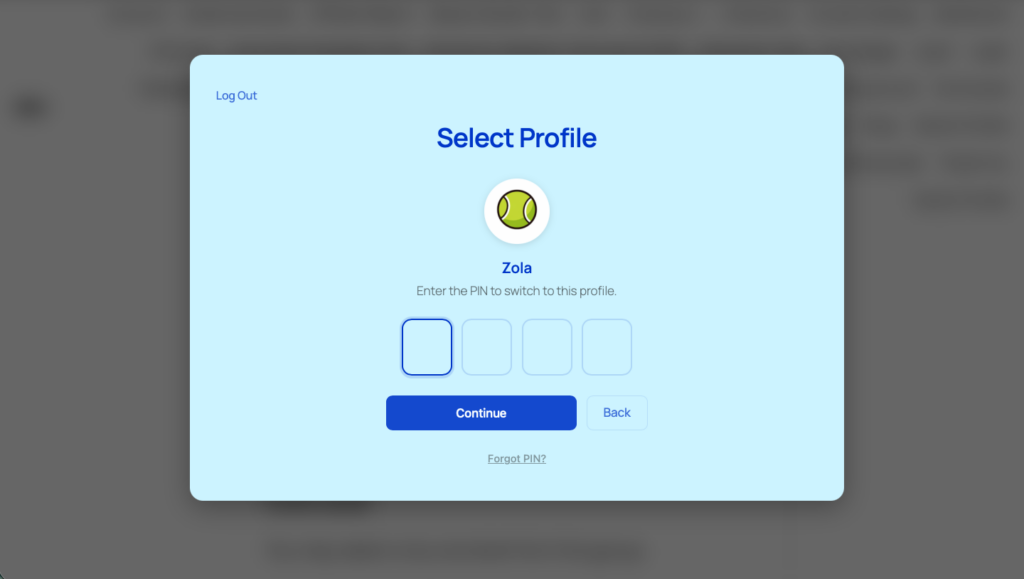
For family accounts, Parental Controls go a step further. Parents can restrict access to specific pages — like the checkout page or the shop — so children need the parent’s PIN to view them. Useful for stores where kids might be browsing on a shared device.
PINs are hashed using WordPress’s native password hashing, rate-limited to prevent brute force attempts, and include a forgot PIN flow that sends a one-time reset link to the primary account’s email.
What types of stores benefit most?
Any WooCommerce site where multiple people need to share an account — or where splitting into separate accounts creates more problems than it solves.
B2B and wholesale stores
A large company has a negotiated discount tied to one account. Different divisions, locations, or departments need to place and track their own orders, but creating separate accounts would break the pricing structure and complicate invoicing. With ProfileSwitch, one master account keeps the discount, each division gets a profile with its own order history, and the account holder sees everything.
Youth sports, camps, and activity programs
A parent registers for your site, then creates a profile for each child enrolled in different programs. Each child’s registrations, gear orders, and event purchases stay organized under their own profile. The parent sees it all in one order history.
Homeschool curriculum and educational stores
Parents buying curriculum, workbooks, or digital downloads for multiple children can keep each child’s purchases separate. Combine with a membership or LMS plugin, and each child gets their own course access too.
Subscription boxes and personalized products
If your store sells items that are personalized per person — clothing sizes, dietary preferences, subscription boxes — profiles let one account manage multiple sets of preferences and order histories without mixing them together.
Setting up ProfileSwitch with WooCommerce
Setup takes about 5 minutes. ProfileSwitch works at the WordPress user level, and WooCommerce already tracks everything per user, so there’s nothing complicated to wire up.
- Install and activate ProfileSwitch from your WordPress dashboard
- Enter your license key on the ProfileSwitch settings page
- Create the profile switcher page (one click from the settings page)
- Enable WooCommerce order visibility from the WooCommerce tab in ProfileSwitch settings
- Enable Profile PINs (optional) from the PINs & Parental Controls tab if you want profiles to be PIN-protected
- Upload preset avatars (optional) from the Avatars tab for a polished, streaming-service feel
That’s it. When a customer with multiple profiles logs in, they see the profile picker. They choose who’s shopping, and WooCommerce takes it from there. Cart, checkout, order history, addresses — everything is scoped to the active profile.
When the primary account holder switches back to their own profile, they can see every order across every profile in their WooCommerce My Account page. Each order is labeled with the profile that placed it, and they can click into any order for full details.
What your customers actually experience
Here’s what it looks like from the customer’s side:
- Log in with one set of credentials
- Choose a profile from the full-screen profile picker
- Browse and shop as that profile — their own cart, their own addresses, their own order history
- Switch to another profile with one click when someone else needs to place an order
- Switch to the primary profile to see all orders across every profile in the account
No extra email addresses. No forgotten passwords. No confusion about whose order is whose. Whether it’s a purchasing manager overseeing orders from five regional offices or a parent keeping track of three kids’ gear orders, the experience is the same: simple, organized, and under one roof.
Frequently asked questions
Do sub-profiles share the same cart?
No. Each profile has its own cart, just like each profile has its own order history and saved addresses. When a customer switches from one profile to another, the cart switches too. If Profile A has items in their cart and the user switches to Profile B, Profile B sees their own cart (or an empty one). Profile A’s cart items are still there when they switch back.
Can sub-profiles see each other’s orders?
No. Sub-profiles only see their own orders. The consolidated order view (seeing all orders across all profiles) is only available to the primary account holder. This keeps divisions, departments, or family members from seeing each other’s purchases.
Does it work with WooCommerce Subscriptions?
Yes. Because each profile is a real WordPress user, WooCommerce Subscriptions treats them as independent customers. Each profile can have its own subscription. The primary account holder can see all subscription orders in their consolidated order view.
What about coupons and pricing tiers?
Coupons and role-based pricing apply per profile, since each profile is its own WordPress user. If you want all profiles on an account to share a pricing tier, you can assign them the same WordPress role. For B2B stores using plugins like WooCommerce Wholesale Prices, the primary account’s wholesale role can be mirrored to sub-profiles.
Shared accounts for your WooCommerce store
One login. Separate orders for every profile. Consolidated order management for the account holder. Set up in 5 minutes with a 14-day money-back guarantee.